Prepare your GInI accreditation evidence in one place.
Ibtikar gives every part of your organisation its own list of questions and a place to link its evidence. Your consultants review it, score it and build the assessor pack — in Arabic and English.
Accounts are opened by your consultant. Your documents stay where they are.

The coordinator's home screen. Example organisation.
How the work runs
Four steps, the same for CInOrg and GInMAT. Each screen below is the real portal, with example data.
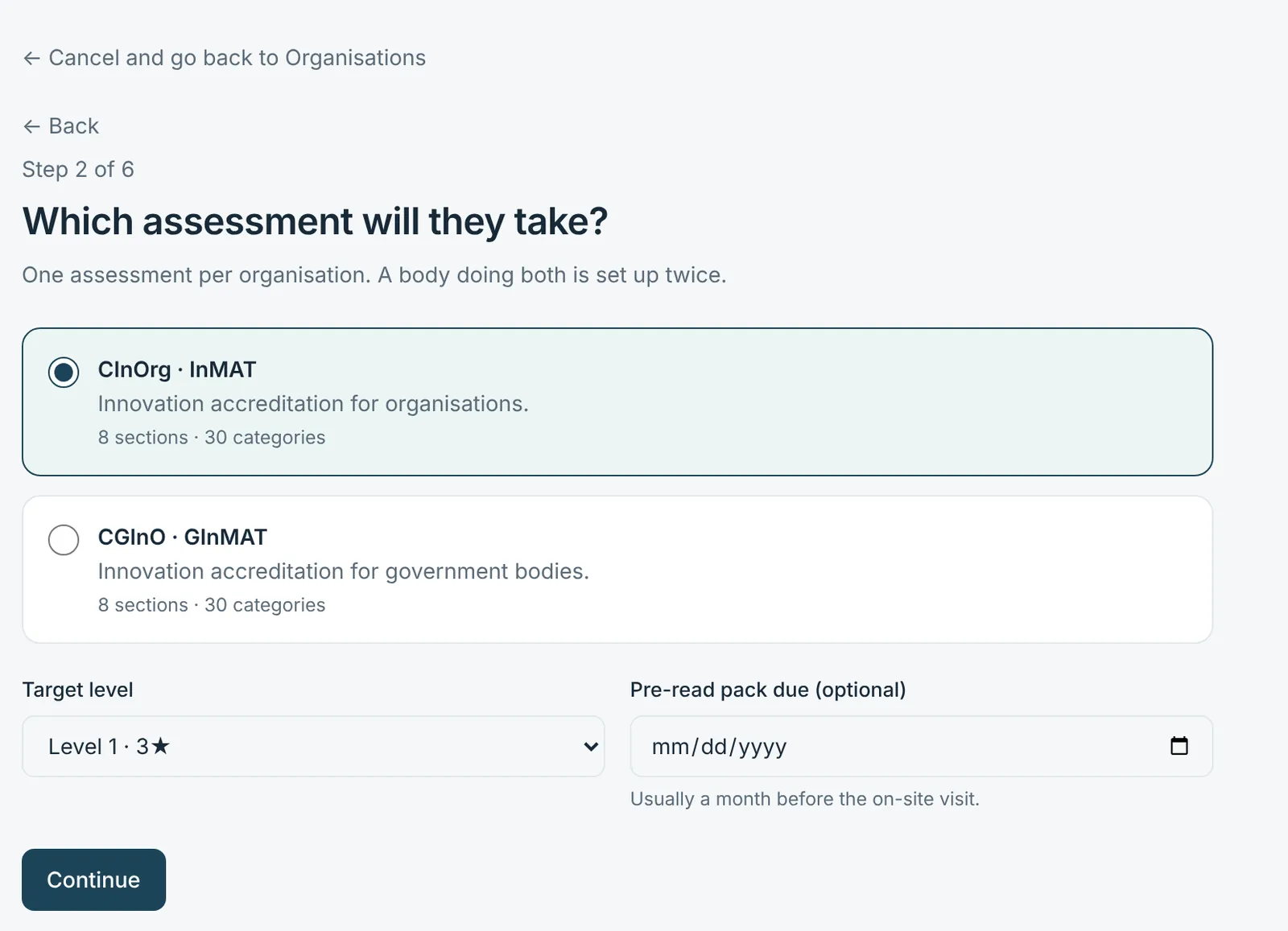
Your consultant sets up the organisation
They choose the assessment you are taking and, if the work is shared, the Functions that will answer — HR, Finance, Strategy. Without Functions, your coordinator answers everything.
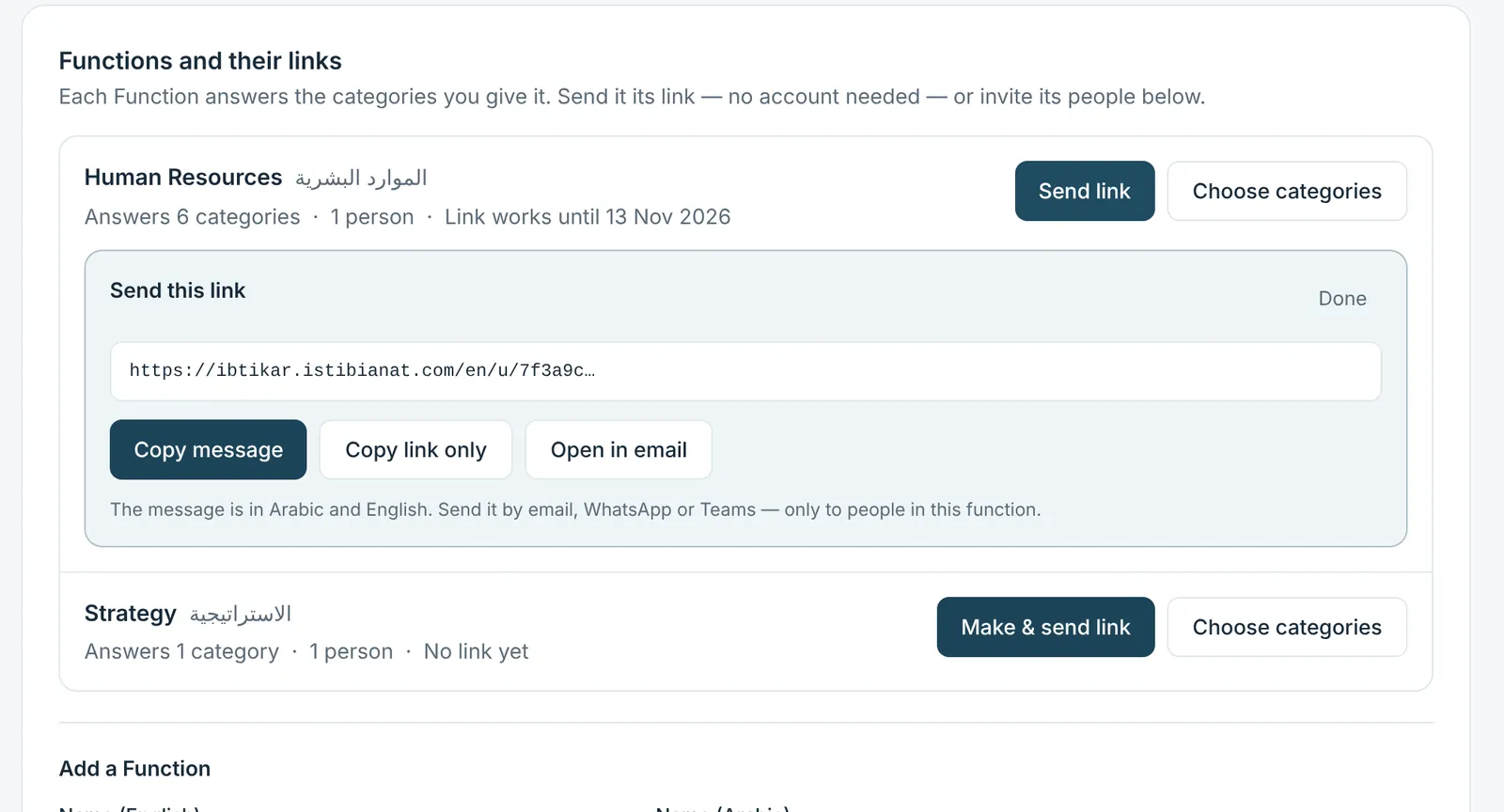
Each Function gets its own link
One link per Function, no account or password needed. It opens only that Function's categories, and you can stop it at any time.
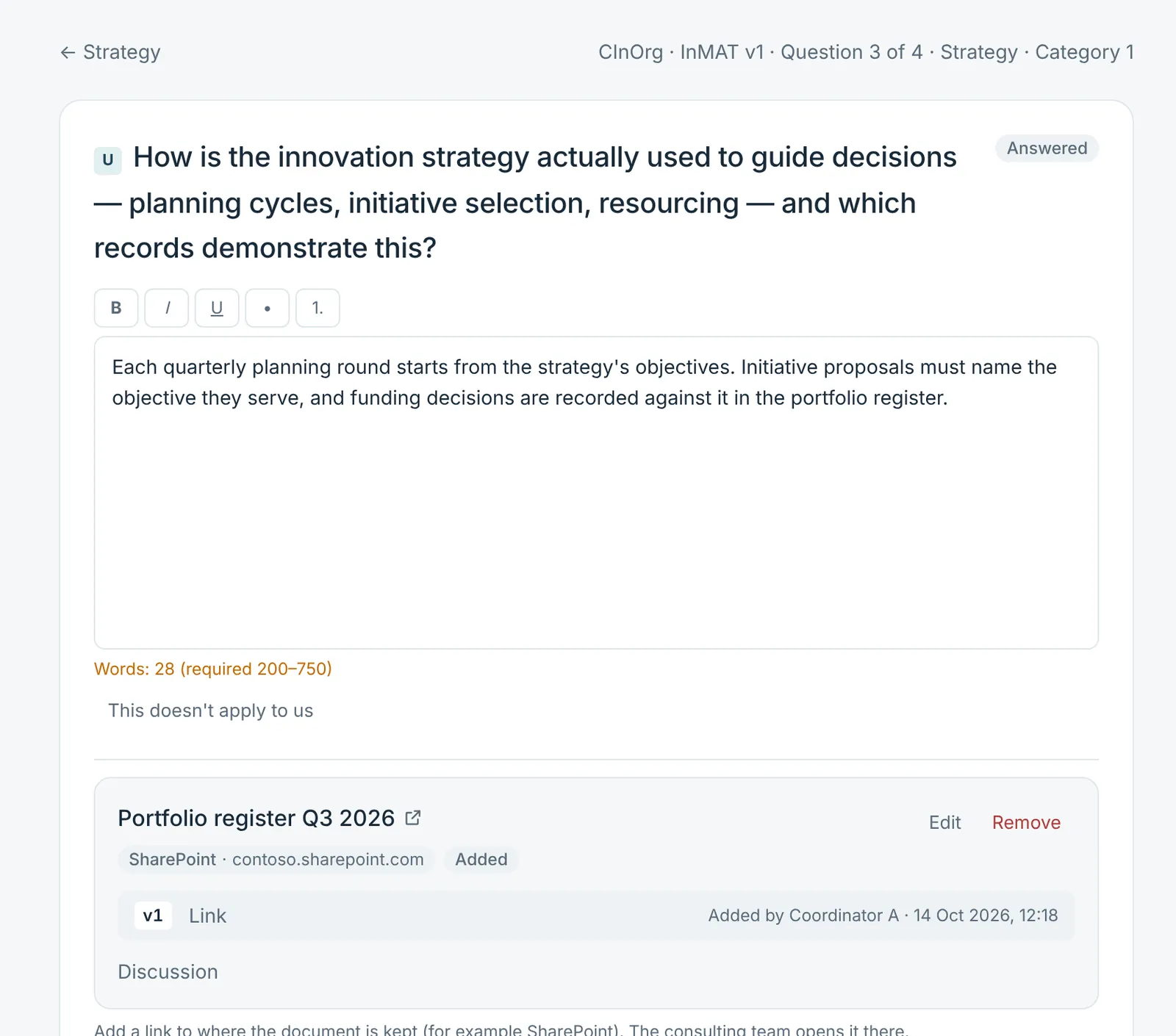
People answer the questions and link their evidence
Four short questions per category, one at a time. Evidence is a link to the document where it already lives, with a line on why it counts.
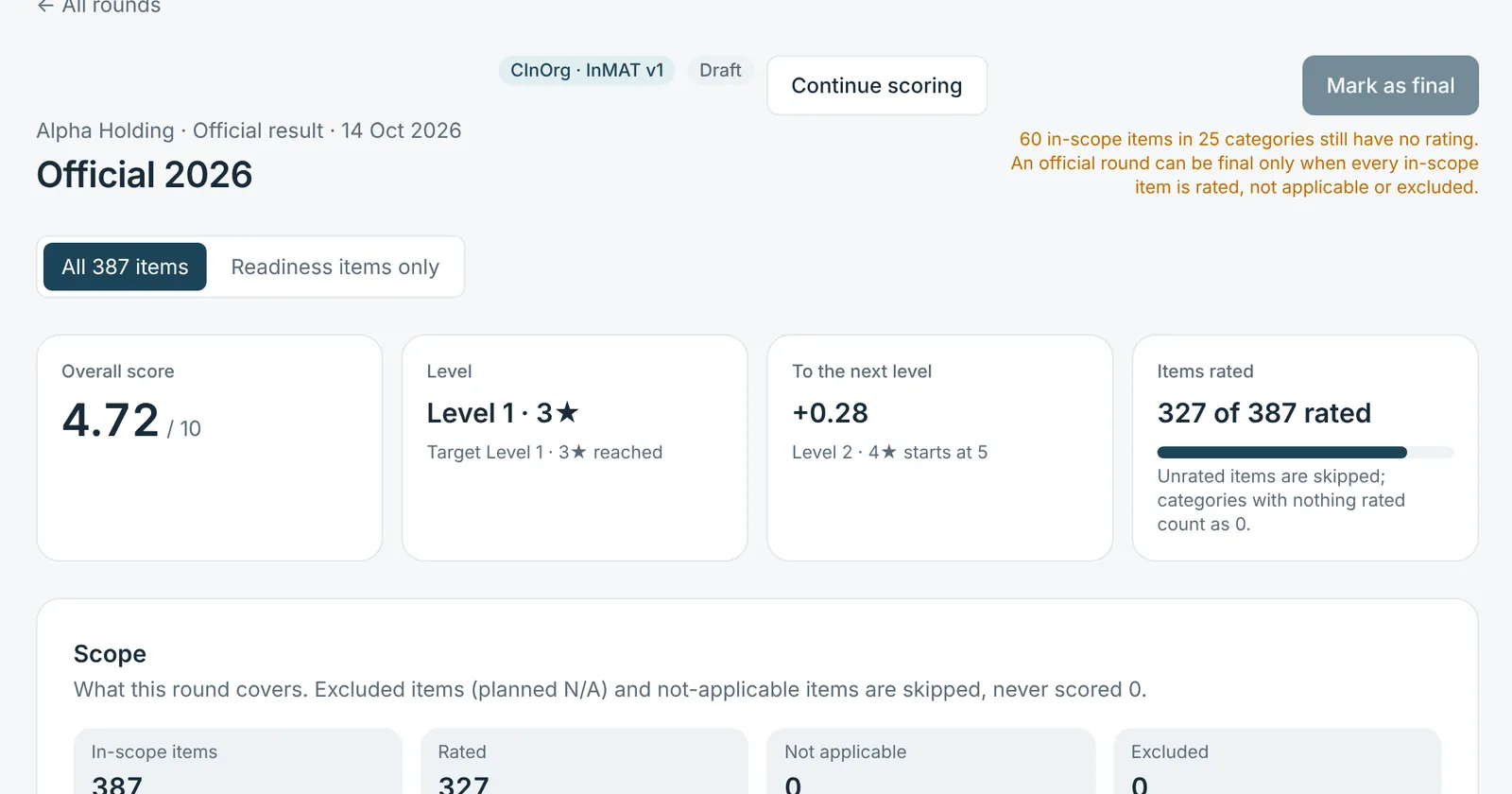
Your consultants review and score
Each answer and link is accepted or sent back with a note. Items are rated 0–10, and the result shows the level, what is in scope and what to fix first.
Two assessments, kept apart
Ibtikar carries both GInI instruments. An organisation works in one; its questions, scores and results never mix with the other's.
CInOrg®
Certified Innovative Organization
- For
- Companies and organisations
- Instrument
- InMAT — Innovation Maturity Assessment Tool
- Size
- 8 sections · 30 categories · 387 items
- Levels
- 3★ to 7★, as published by GInI
CGInO®
Certified Government Innovative Organization
- For
- Government bodies only
- Instrument
- GInMAT — Government Innovation Maturity Assessment Tool
- Size
- 8 sections · 30 categories · 407 items
- Levels
- 3★ to 7★, as published by GInI
A question that doesn't apply to you is marked “not applicable” with a reason and is never counted as zero. Your consultant can also leave questions out before you start; your results always say what was covered.
How each assessment is builtYour documents stay where they are
Nothing is uploaded. People paste a link to the document in SharePoint, OneDrive or wherever it is kept, give it a title and say how it supports their answer.
- Whoever opens a link needs access in the place the document lives — Ibtikar doesn't change that.
- Ibtikar stores the address, never the document, and never claims to have read it.
- A link can be edited or removed until your consultant accepts it.
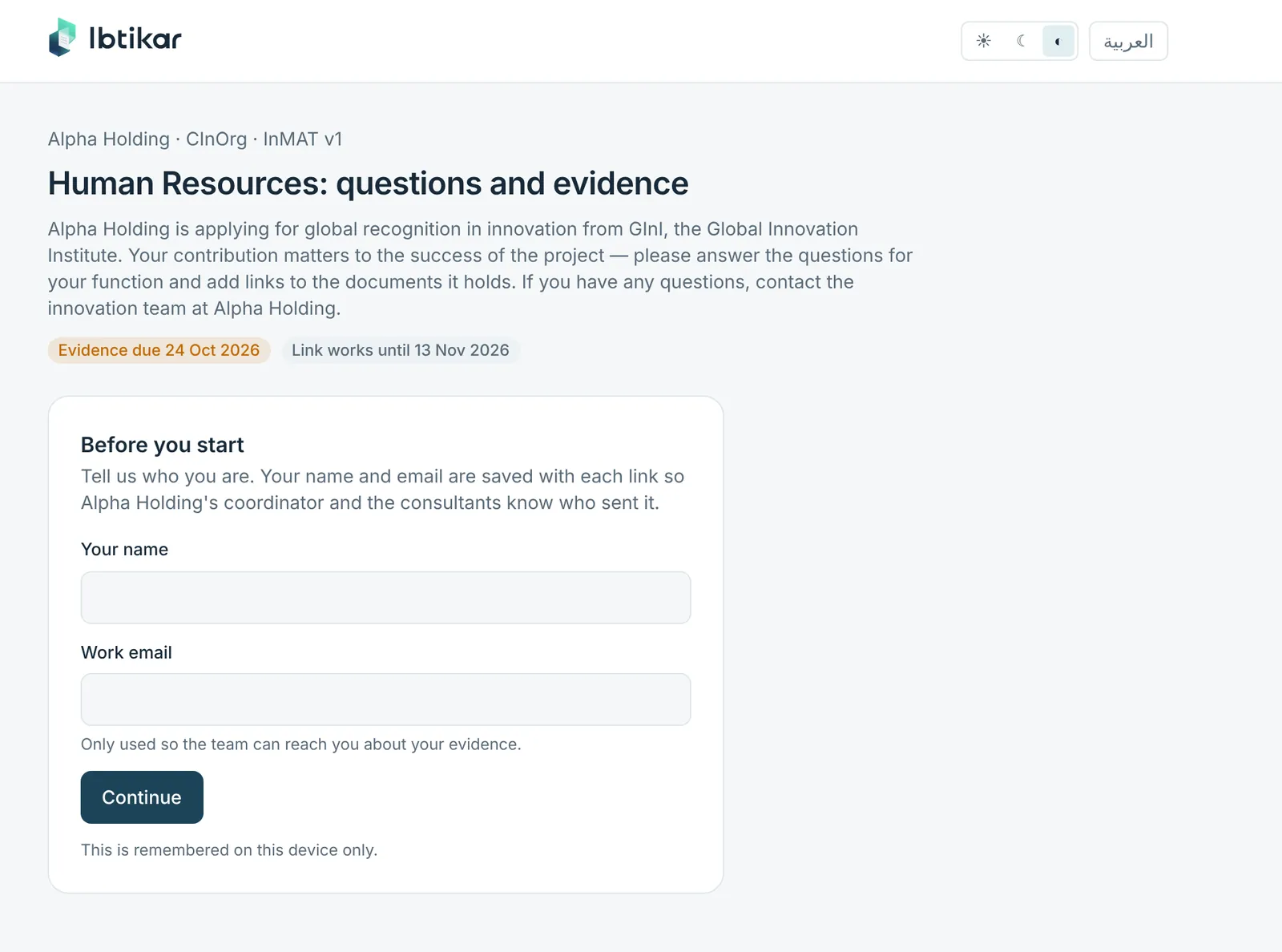
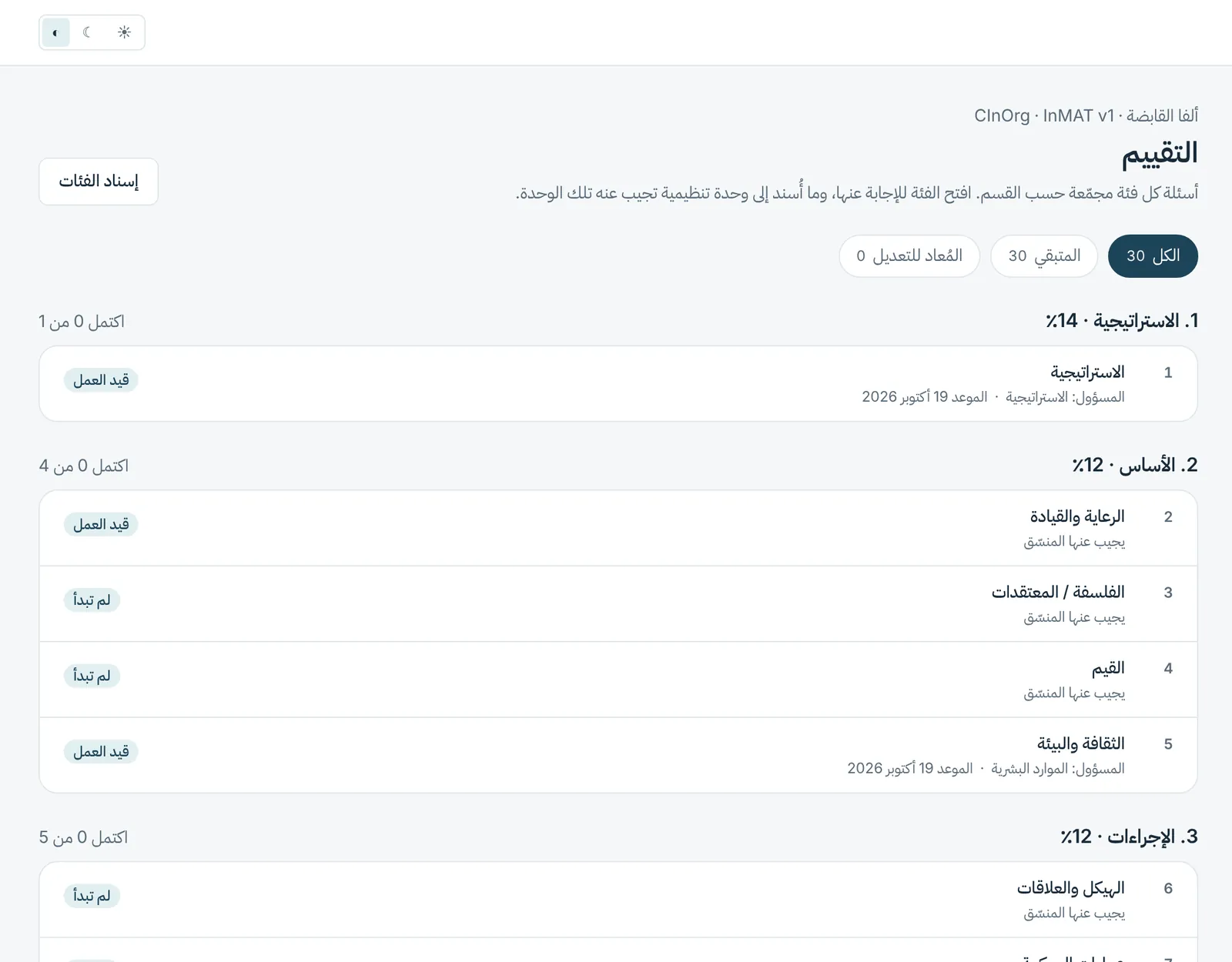
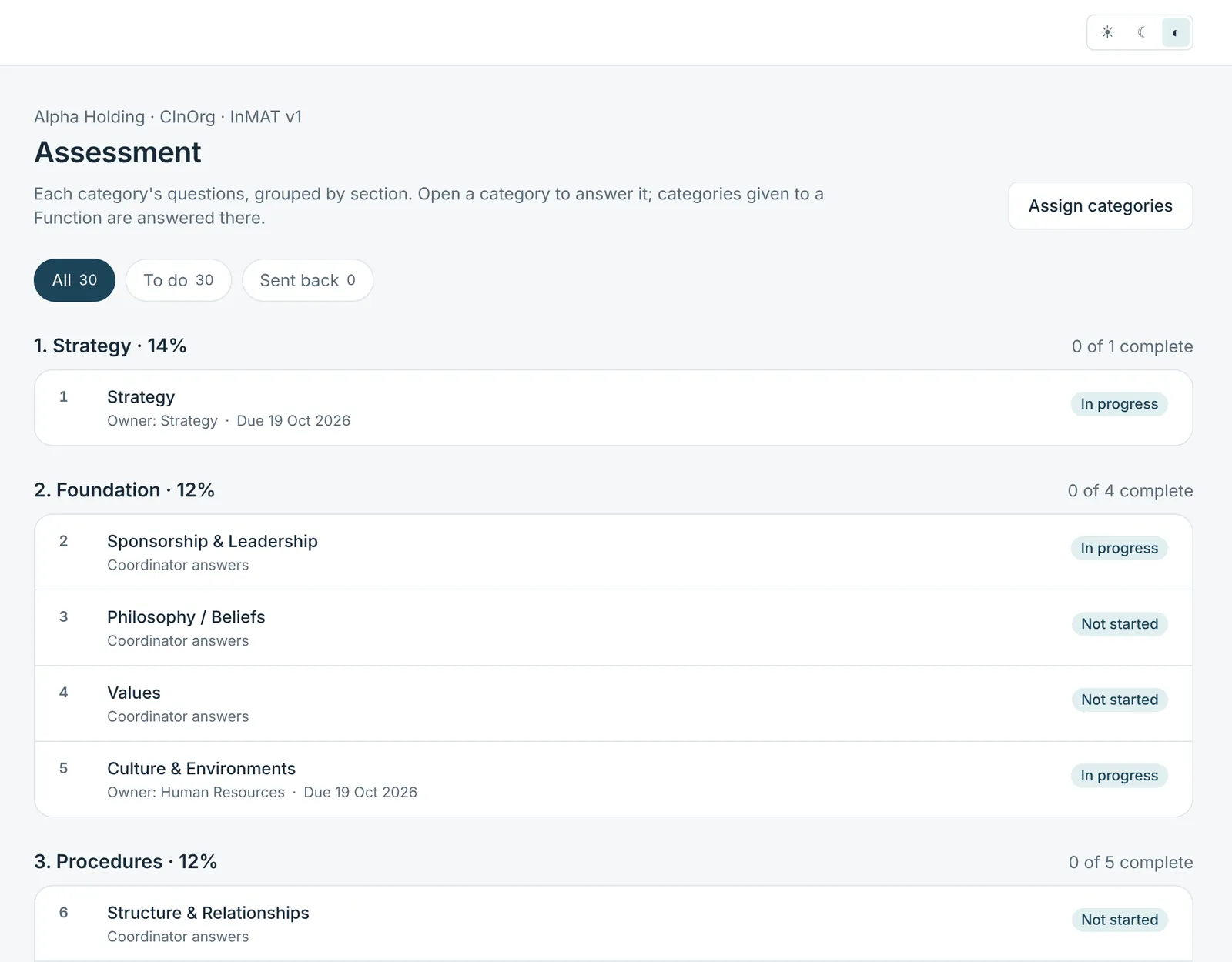
Arabic and English, screen for screen
Every screen, message and report exists in both languages, with a real right-to-left layout. Each person picks their own.
Ready to put your evidence in one place?
Request access and a consultant will open the organisation, map the functions and walk your team through the first category.